
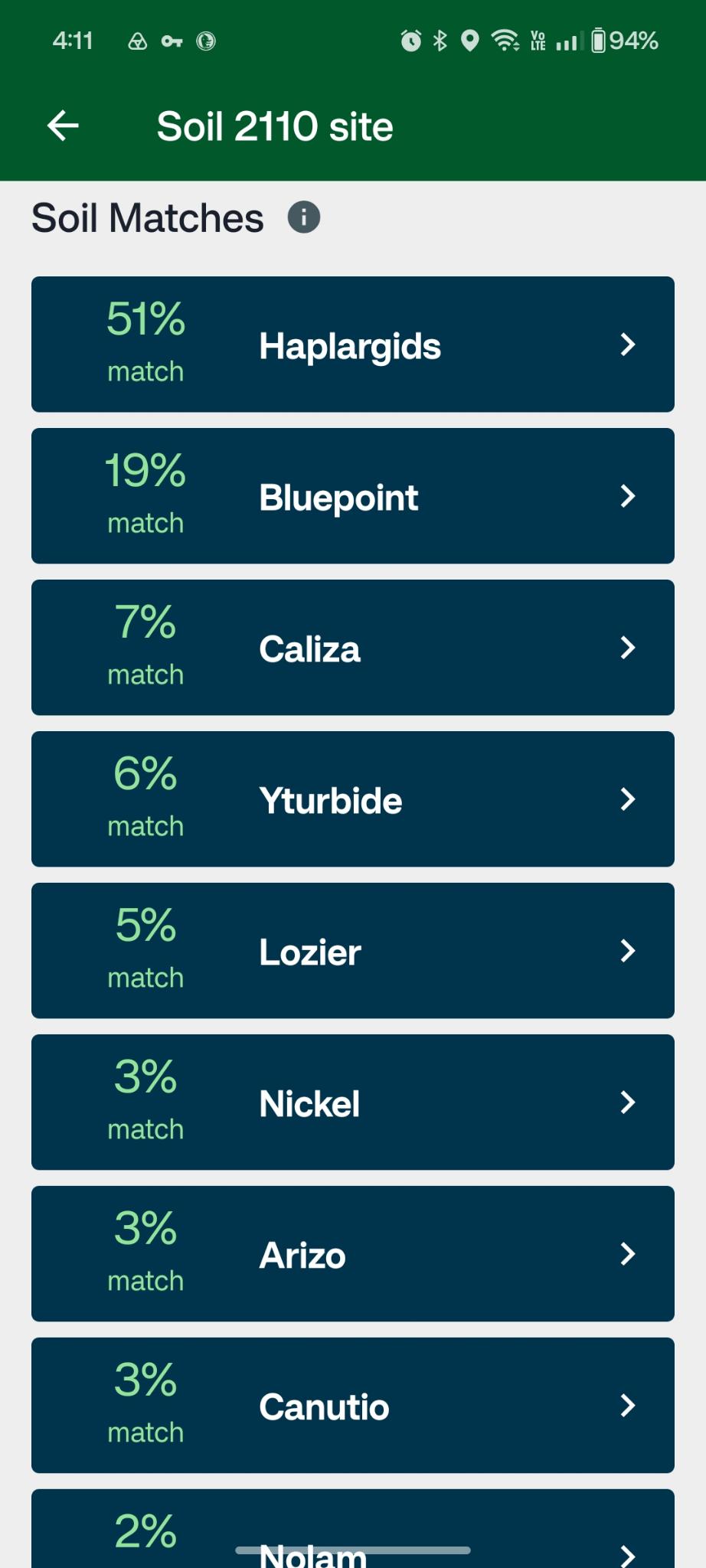
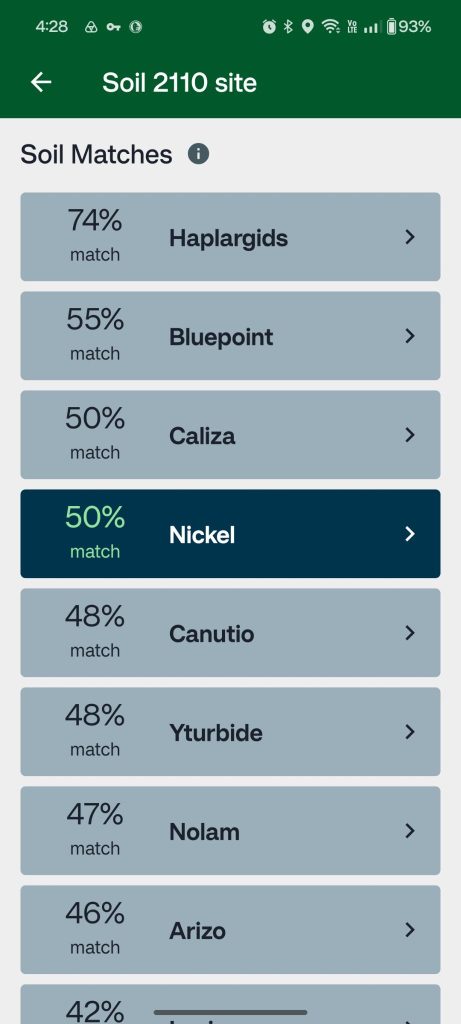
A list of Soil Matches is found within each site. Each soil series in the list has a percentage next to it. That percentage represents how well the soil you are describing matches a given series. The list updates automatically as you add more observations; the more observations you enter, the more refined the percentages become.
How the match percentage is calculated
Each percentage is an overall match score that combines two components:
- Location score: How close the soil series is to your site based on soil map data; whether it falls within your site’s map unit or a nearby one, and how prevalent it is in that area.
- Properties score: How closely the properties of the soil series match the observations you have entered in the Soil Properties tab; texture, color, rock fragment volume, slope, and other inputs.
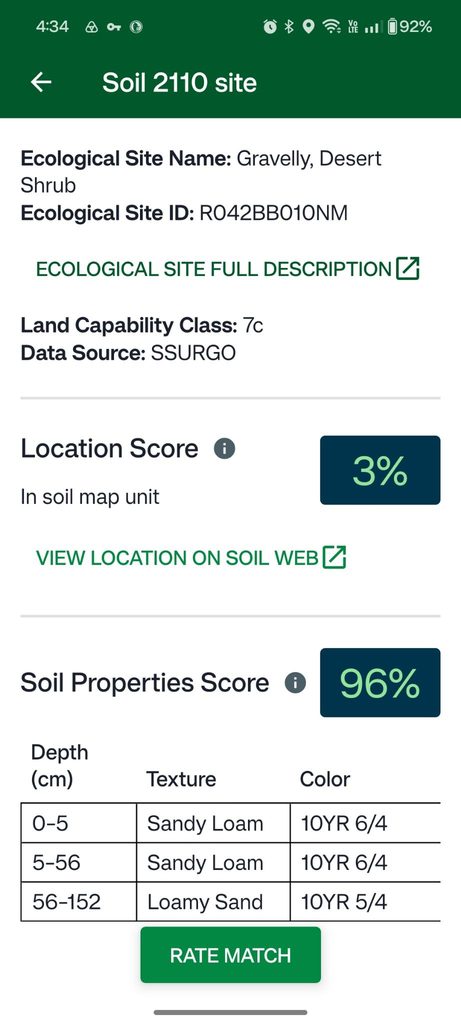
A site with no observations will show percentages based on location alone. As you add properties observations, the scores adjust to reflect both where the soil is mapped and what it actually looks like in the field. This is why entering more observations generally produces a more accurate result—the properties score pulls the match toward or away from each series based on what you recorded.
Reading the Soil Matches list
The series at the top of the list has the highest combined score and is the current best match for your site. Tap any series to open its description page which includes a summary of the soil’s properties, and links to additional resources.
Use the table to evaluate how well each candidate matches your field data. If the top-ranked series clearly does not align with what you observed, for example, it shows a sandy loam profile but your site had heavy clay throughout, review the next candidates down the list. The algorithm ranks by score, but you have the final call based on what you saw in the field.
Rate match
LandPKS Soil ID simplifies the soil identification process by providing you with the option to discard potential soils, or select the best match. While reviewing a potential soil match, review its description and consider the properties table. Tap “Rate Match” to mark a potential improvement. Tap “No, it’s different” to exclude a soil. Excluded soils will have a lighter color in the list of soils. Tap “Yes, select soil for this site” to mark a soil as the best match. Congratulations! You’ve identified a soil!

If no candidates seem like a good fit: Check that your observations were entered correctly, particularly texture and color, which have the strongest influence on the properties score. Adding any missing observations will also help refine the results. In instances where soil maps contain no accurate data, a matching soil may not appear. In that instance, export your soil observations and share them with an expert to help you identify the soil.