When a site is added to a project, it inherits all of the project’s settings: privacy, soil pit depths, and required observations. There are two ways to add sites.
During site creation
When creating a new site, you can assign it to a project directly from the Create Site form. Select the desired project from the list before saving the site.
Transferring existing sites
To move an existing site into a project, you must either own the site or be a manager of the project it currently belongs to. You must also be a manager or contributor for the destination project.
1. Open the project you want to transfer sites into.
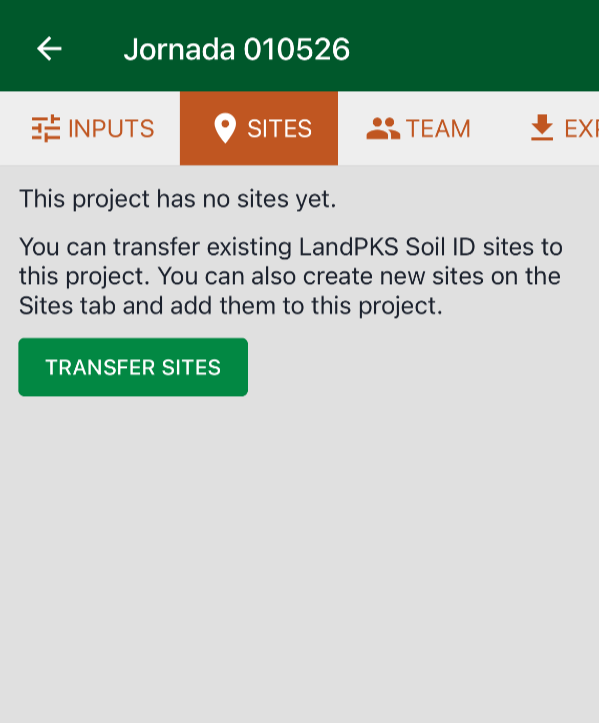
2. Open the Sites tab.
3. Tap Transfer Sites.
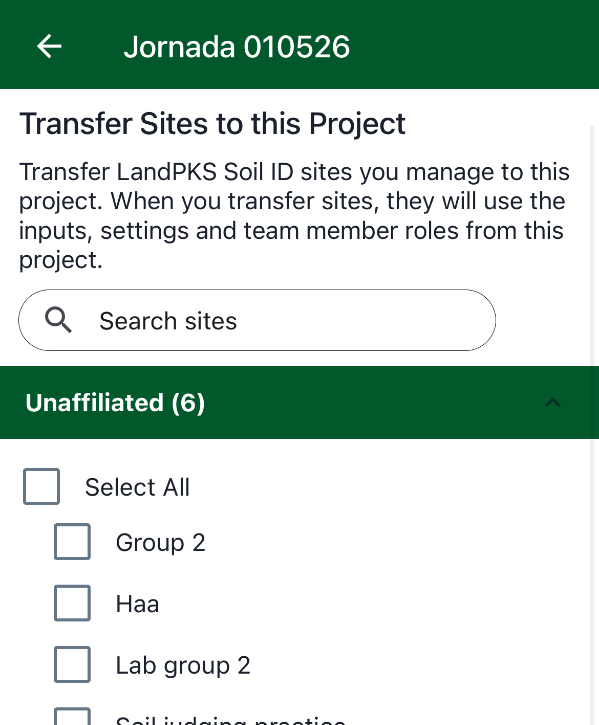
4. Select the sites you want to transfer.
5. Tap Transfer Sites again to confirm.